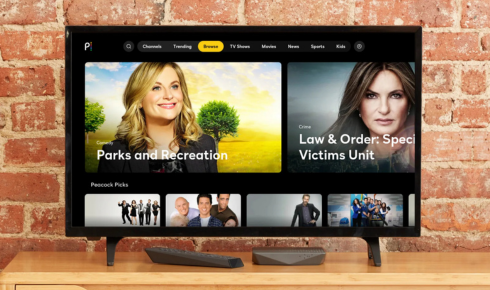
Peacock TV, NBCUniversal’s streaming service, has gained significant traction since its launch, offering a mix of free and premium content, including live sports, original series, and classic TV shows. However, like many streaming platforms, Peacock TV faces activation challenges that can frustrate users and hinder seamless access to content. These issues range from technical glitches to authentication errors, device compatibility problems, and account-related hurdles.
This article explores the most common Peacock TV activation challenges, their root causes, and potential solutions to enhance the user experience.
Common Peacock TV Activation Challenges
1. Invalid or Expired Activation Codes
One of the most frequent issues users encounter is entering an activation code that doesn’t work or expires before use. Peacock TV requires users to visit peacocktv.com/activate and enter a code displayed on their device (e.g., smart TV, Roku, or Fire Stick). Problems arise when:
- The code is entered incorrectly.
- The code expires (usually within 10-15 minutes).
- The activation page fails to recognize the code due to server issues.
Solution:
- Double-check the code for typos.
- Generate a new code if the existing one expires.
- Ensure the device is connected to the same network as the one used to visit the activation page..
You May Also Like- Peacock : Start Streaming Today with This Simple Login Guide Visit : Peacocktv.com tv/samsung
2. Device Compatibility Issues
Not all devices support Peacock TV, and some older models may face compatibility problems. Users may struggle to activate Peacock on:
- Older smart TVs (pre-2018 models).
- Certain gaming consoles or streaming sticks.
- Unsupported web browsers.
Solution:
- Verify device compatibility on Peacock’s official website.
- Update the device’s firmware or Peacock app.
- Use a supported device like Roku, Amazon Fire TV, Apple TV, or a modern smart TV.
3. Account Authentication Errors
Users sometimes face login-related activation failures, such as:
- Incorrect email or password entries.
- Subscription plan mismatches (e.g., trying to access Premium content with a free account).
- Regional restrictions (Peacock is only available in the U.S. and select territories).
Solution:
- Reset the password if login credentials are forgotten.
- Ensure the account has an active subscription if accessing Premium content.
- Use a VPN only if Peacock officially supports the user’s region (otherwise, it may violate terms of service).
4. Network Connectivity Problems
A weak or unstable internet connection can disrupt activation. Symptoms include:
- The activation page not loading.
- The Peacock app failing to verify the code.
- Buffering or error messages during activation.
Solution:
- Restart the router and modem.
- Switch to a wired connection if Wi-Fi is unstable.
- Check internet speed (Peacock recommends at least 3 Mbps for HD streaming).
You May Also Like- Peacock : Start Streaming Today with This Simple Login Guide Visit : Peacocktv.com/tv
5. Cache and App-Related Glitches
Cached data or outdated app versions can cause activation failures. Issues include:
- The Peacock app freezing during activation.
- The activation page not syncing with the device.
Solution:
- Clear the app cache (on mobile devices or smart TVs).
- Uninstall and reinstall the Peacock app.
- Update the app to the latest version.
6. Peacock Server Outages
Occasionally, Peacock’s servers may experience downtime, preventing successful activations. Users may see error messages like:
- “Service Unavailable.”
- “Activation Failed – Try Again Later.”
Solution:
- Check Peacock’s official Twitter/X account or status pages like Downdetector for outages.
- Wait and retry activation after some time.
7. Multiple Device Activation Limits
Peacock restricts the number of simultaneous streams based on subscription tiers:
- Free tier: Limited to one stream.
- Premium: Up to three simultaneous streams.
If users exceed these limits, activation may fail on additional devices.
Solution:
- Log out of unused devices via Peacock’s account settings.
- Upgrade to a higher-tier plan if more streams are needed.
8. Browser-Related Activation Issues
When activating Peacock via a web browser, users may encounter:
- Browser extensions blocking the activation page.
- Cookies or JavaScript preventing code verification.
Solution:
- Disable ad-blockers or privacy extensions temporarily.
- Use an incognito/private browsing window.
- Try a different browser (Chrome, Firefox, or Edge).
Best Practices for Smooth Peacock TV Activation
To minimize activation challenges, users should:
- Ensure Device Compatibility – Verify that their device supports Peacock TV.
- Use a Stable Internet Connection – A strong Wi-Fi or wired connection prevents disruptions.
- Keep Apps Updated – Regularly update the Peacock app and device firmware.
- Follow Official Instructions – Use only peacocktv offical website for activation.
- Check for Service Outages – Before troubleshooting, confirm Peacock’s server status.
You May Also Like- Max : Start Streaming Today with This Simple Login Guide Visit : Max.com/providers
Conclusion
Peacock TV offers a robust streaming experience, but activation challenges can impede user access. By understanding common issues—such as invalid codes, device incompatibility, network problems, and account errors—users can troubleshoot effectively. Peacock and its support teams must continue refining the activation process to reduce friction and ensure a seamless onboarding experience.
For persistent issues, contacting Peacock’s customer support or visiting their help center is recommended. With the right troubleshooting steps, most activation hurdles can be resolved quickly, allowing users to enjoy Peacock’s vast content library without interruption.